
Your vegetable sorting process is slow and full of errors. This inefficiency costs you time and money every single day, hurting your bottom line and slowing down your entire operation.
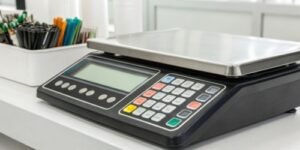
An Android-powered scale transforms sorting by offering a familiar, smartphone-like interface. It allows you to run custom apps, connect to your network seamlessly, and automate data entry, drastically boosting speed and accuracy in fast-paced vegetable sorting centers.
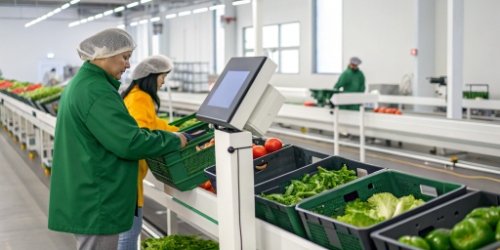
I've visited countless sorting centers over my 19 years in this industry. The challenge is always the same: how to handle complex, high-volume tasks quickly without sacrificing accuracy. You need a tool that doesn't just weigh but also thinks and communicates. This is where integrating a familiar operating system1 like Android becomes more than just a novelty; it becomes a strategic advantage. It’s about turning a simple tool into the central hub of your sorting workflow. Let’s explore how this technology actually achieves that.
How Does Android Integration Transform Vegetable Sorting Scales?
Traditional scales are isolated, clunky devices. They create frustrating bottlenecks and costly errors in your sorting operations, holding your team back from its true potential.
Android integration turns a simple scale into a smart, connected terminal. It supports custom apps, real-time data synchronization, and intuitive touch controls, completely revolutionizing the workflow from a manual chore to a streamlined, digital process.
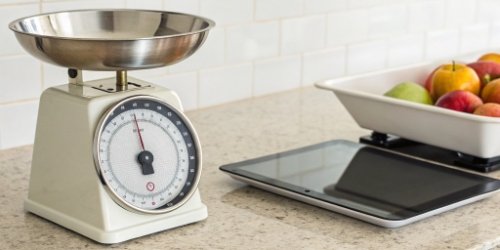
The transformation is about moving from an isolated tool to a networked hub2. I recall a client who was struggling with manual data entry3. An operator would weigh a crate of tomatoes, jot the weight on a clipboard, and then someone else would type that data into a spreadsheet at the end of the day. The potential for errors was huge. After we installed our Android scales, the process changed completely. The scale captured the weight, and the on-screen app instantly sent that data to their central inventory system. The scale became an active part of their data network, not just a dumb terminal. This change is fundamental. It's about giving the scale a brain that can be customized for your specific needs.
From Static Device to Dynamic Platform
Android's biggest strength is its adaptability. You are no longer stuck with the factory-set functions of the scale. You can install or develop applications tailored specifically for your products, whether it's grading different types of peppers or sorting potatoes by size.
| Feature | Traditional Scale | Android-Powered Scale |
|---|---|---|
| Data Entry | Manual keypad or handwritten notes | Touchscreen input, barcode scanning4, automatic |
| Task Management | Limited, pre-programmed functions | Custom apps for specific sorting tasks |
| Connectivity | Often none, or limited RS-232 port | Wi-Fi, Bluetooth, Ethernet, Cloud integration |
| User Interface | Basic LCD/LED display with buttons | High-resolution color touchscreen |
What Benefits Do Android-Powered Scales Offer to Sorting Centers?
Inaccurate data, long training times for new staff, and slow processes are all eating into your profits. You need a solution that is simpler to use yet far more powerful.
Android scales boost efficiency with a familiar user interface that shortens employee training time. They enable real-time data tracking for precise inventory control, minimize human error through automation, and integrate easily with your existing software.
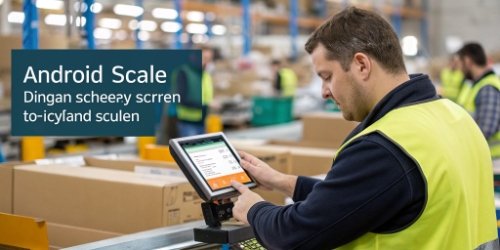
The benefits are immediate and tangible. The most obvious one is a boost in operational speed5. Think about how fast you are on your smartphone. Now, imagine your workers having that same speed and confidence when operating a scale. Tapping a large icon for "Organic Tomatoes" is much faster and less error-prone than navigating a clunky menu with physical buttons. This intuitive operation directly translates into more crates sorted per hour. It also enhances data accuracy. By automating data capture and transfer, you eliminate the risk of an operator writing down "5.2 kg" instead of "2.5 kg." The scale records what it sees and sends it directly to your system, ensuring your data is clean and reliable from the start. This makes inventory reports, invoicing, and planning much more accurate.
Tangible Impacts on Your Operations
The familiarity of the Android interface is a huge advantage. Most new hires already know how to use a touchscreen device, so the learning curve for operating the scale is incredibly short. You spend less time training and more time on productive work.
| Benefit | Impact on Sorting Center |
|---|---|
| Intuitive Touchscreen UI | Reduces training time6 by up to 80%; lowers operational errors. |
| Real-Time Data Sync | Provides live inventory visibility; improves decision-making. |
| Automation & App Support | Eliminates manual data entry; streamlines complex sorting tasks. |
| Easy Integration | Connects seamlessly with ERPs and other software; creates a unified system. |
Why Is Android Technology Innovative for Vegetable Sorting?
Your current weighing equipment feels outdated and disconnected. It simply cannot keep up with modern demands for speed, data integration, and flexibility in a fast-changing market.
The innovation of Android on a scale lies in its open ecosystem. It allows for nearly limitless software customization, easy integration with cloud services and IoT devices, and continuous updates, transforming the scale from a fixed-function device into an evolving smart tool.

The real magic is the open platform. As a manufacturer, we at Weigherps provide scales with both Android and Windows options, but for the dynamic needs of vegetable sorting, Android's flexibility7 is often unmatched. Its open nature means software developers—perhaps even your own IT team or a third-party vendor you work with—can create custom applications using standard development tools. This is huge for our software vendor clients. They can build a specific app for a new type of organic produce, deploy it to all the scales in the facility overnight, and create a new, efficient workflow. This future-proof8s your investment. Your scale is no longer a static piece of hardware. It’s a platform that can evolve with your business through simple software updates, just like your phone gets new features.
Building for the Future
This open system allows for innovation that is impossible with closed, proprietary systems. For example, you can connect a USB camera to the scale and use an AI-powered app to help with quality control9, flagging produce that doesn't meet size or color standards—all on the same device that weighs and labels it.
| Feature | Closed Proprietary System | Open Android System |
|---|---|---|
| App Development | Limited to manufacturer; costly and slow | Open to anyone; fast and cost-effective |
| Integration | Difficult; requires custom drivers | Easy via standard APIs and protocols |
| Updates | Infrequent; may require technician | Frequent OTA (Over-The-Air) updates |
| Hardware | Limited to manufacturer's peripherals | Can connect to a wide range of USB/Bluetooth devices |
How Can Android Systems Enhance Efficiency in Vegetable Sorting Centers?
Your team is spending too much time on manual tasks. The slow process of weighing, hand-labeling, and then entering data into a computer creates a major bottleneck that slows everything down.
Android systems automate the entire "weigh, label, and track" workflow. A single device handles weighing, calculates sorting grades, prints a custom label with a barcode, and sends that data to your inventory system instantly, significantly cutting processing time per crate.
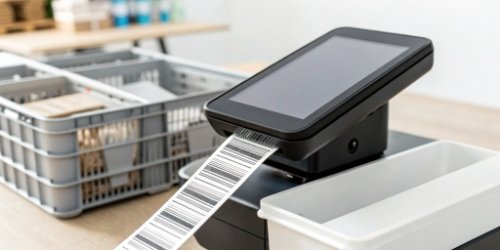
Let's walk through a real-world scenario with one of our smart label printing10 scales. An operator places a crate of bell peppers on the scale. On the touchscreen, they tap the "Bell Peppers" icon. The app might then ask them to grade the quality—"Grade A," "Grade B," etc. Once they tap the grade, the scale instantly:
- Captures the final weight.
- Calculates the price based on weight and grade.
- Prints a professional label with the product name, weight, grade, price, a unique barcode, and the packing date.
- Simultaneously transmits all this data to the central server for real-time inventory and sales tracking.
The operator simply sticks the label on the crate and moves to the next one. The entire process takes seconds and a few taps. There is no writing, no manual calculation, and no separate data entry step. This is how you achieve a genuine leap in efficiency.
A Direct Comparison of Workflows
When you compare the old way with the new, automated way, the efficiency gains become crystal clear. You're not just saving a few seconds; you're eliminating entire steps from the process, which also removes points of potential failure.
| Task | Manual Process | Android-Powered Process |
|---|---|---|
| Weighing | Place on scale, read display. (5 sec) | Place on scale, weight captured automatically. (2 sec) |
| Labeling | Hand-write label or use a separate printer. (15 sec) | Automatic label printing on the spot. (3 sec) |
| Data Entry | Operator writes on log, clerk enters later. (20+ sec) | Data sent to server instantly. (0 sec) |
| Error Rate | High (transcription, calculation errors) | Near-zero (fully automated) |
| Total Time/Unit | ~40 seconds | ~5 seconds |
Conclusion
Android-powered scales are not a fad; they are a practical solution. They streamline sorting, slash errors, and offer a flexible, future-proof platform for growth in any modern vegetable sorting center.
-
Discover the impact of using a familiar operating system like Android on efficiency. ↩
-
Learn about the advantages of integrating sorting scales into a connected system. ↩
-
Explore the benefits of automating data entry to minimize human error and save time. ↩
-
Discover how barcode technology can speed up labeling and tracking processes. ↩
-
Learn about the key elements that can enhance speed and efficiency in sorting processes. ↩
-
Explore how intuitive technology can shorten the learning curve for new staff. ↩
-
Explore how adaptable technology can meet the changing needs of sorting operations. ↩
-
Learn about strategies to ensure your sorting technology remains relevant and effective. ↩
-
Learn about innovative solutions for maintaining high quality in sorting operations. ↩
-
Discover the advantages of automated label printing for efficiency and accuracy. ↩
Comments (0)