

Your Industrial PC (IPC) just crashed, halting the entire production line. This downtime is costing you money every minute. A clear maintenance and repair plan is your only solution.
The best way to maintain and troubleshoot slaughterhouse IPCs is through a proactive approach. Regular cleaning to combat dust and moisture, checking all cable connections for security, and performing routine data backups are essential. When failures occur, systematically check common culprits like the hard drive, RAM, and connections.

Having worked with weighing systems for 19 years, I've seen firsthand how a small IPC issue can become a massive operational headache. The environment in a slaughterhouse—constant moisture, dust, and temperature changes1—is the enemy of electronics. But with the right strategy, you can protect your core hardware and keep production moving. It's not just about fixing things when they break; it's about preventing them from breaking in the first place. Let's dig into the practical steps you can take.
What Are the Common Issues and Solutions for Slaughterhouse Industrial Control Systems?
An IPC just failed, and you have no idea why. Production is at a standstill, and pressure is mounting. Knowing the common problems can turn panic into a quick solution.
Common issues include slow startups caused by failing hard drives, software lag from insufficient RAM, and complete connection loss from loose or corroded cables. The solutions involve targeted hardware checks, component upgrades, and ensuring all connections are both secure and clean.

In my experience, troubleshooting doesn't have to be a guessing game. Most failures point back to a few key areas, especially when you consider the harsh working conditions. Breaking down the problem helps you get to the root cause quickly and efficiently. We build our systems to be robust, but understanding these weak points is crucial for any operator.
Identifying the Source of the Problem
The first step is to correctly identify the symptoms. Is the machine failing to boot? Is it running slowly? Are peripherals not responding? Each symptom points to a different potential cause. For example, a system that won't turn on at all is likely a power supply or motherboard issue, while a system that boots but can't load the operating system often points to a hard drive failure. The key is to observe and not jump to conclusions.
A Practical Troubleshooting Guide
Here is a simple table to guide you through the most frequent issues we see in the field. This systematic approach saves time and helps you pinpoint the exact problem without replacing unnecessary parts.
| Problem | Likely Cause(s) | Recommended Solution(s) |
|---|---|---|
| System Won't Start | Power supply failure; Loose power cable; Motherboard issue. | Check power cord and outlet. Test with a known good power supply. If it still fails, the motherboard may need service. |
| System Starts Slowly | Failing Hard Disk Drive (HDD); Not enough RAM; Bloated software. | Run disk-check utilities. Consider upgrading from an HDD to a Solid State Drive (SSD) for better durability and speed. Check RAM usage. |
| Software Freezes or Lags | Insufficient RAM; Overheating due to dust buildup on fans/heatsinks. | Monitor RAM usage and upgrade if consistently high2. Turn off the IPC, disconnect power, and clean all vents and internal fans with compressed air3. |
| Ports Not Working | Loose or damaged cables; Port corrosion from moisture; Driver issues. | Reseat all cables. Inspect ports for green or white corrosion and clean if necessary. Reinstall device drivers. |
How Can Regular Maintenance Improve the Performance of Slaughterhouse Industrial PCs?
Your once-fast IPC now feels sluggish. This slowdown is killing productivity and could be a warning sign of a bigger failure to come. A simple maintenance schedule is the answer.
Regular maintenance directly improves performance by preventing common issues. Simple acts like cleaning dust improve cooling and stop overheating, checking cables prevents data loss from bad connections, and backing up data protects your operation from catastrophic failure. It ensures long-term reliability.
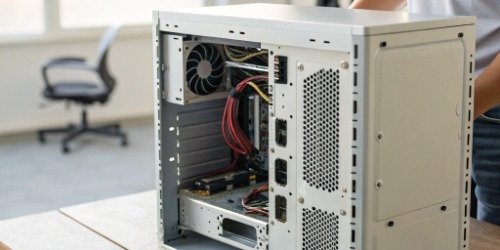
I always tell my clients that an IPC is like any other critical piece of machinery: it needs regular check-ups. You wouldn't run a vehicle for years without changing the oil, and the same principle applies here. As a manufacturer, we design our products for durability. However, we also know that a small amount of proactive care in the field can double the lifespan and reliability of the hardware. The goal is to keep your system running at peak performance for as long as possible.
The 'Why' Behind Maintenance
Understanding why each maintenance step is important makes it easier to follow through.
- Cleaning Dust: Dust acts like an insulator4. It blankets heatsinks and chokes fans, causing components like the CPU to overheat. When a CPU overheats, it automatically slows down (throttles) to protect itself, which is why your software starts lagging. Severe overheating can cause permanent damage.
- Checking Cables: In an industrial environment, vibrations and routine cleaning can subtly loosen connections over time. Moisture can also cause corrosion on port contacts5. A loose or corroded connection leads to intermittent failures, data corruption, and unresponsive peripherals.
- Backing Up Data: Your production data and system configuration are invaluable. A hard drive can fail without any warning6. Having a recent backup means you can restore your system on a new drive in minutes or hours, not days.
A Proactive Maintenance Schedule
Here is a simple schedule you can adapt. Consistency is more important than complexity.
| Frequency | Task | Purpose |
|---|---|---|
| Weekly | Visual Inspection & External Cleaning: Wipe down the chassis, screen, and cables. Check that all indicator lights are normal. | Prevents buildup of grime and allows for early spotting of physical damage or loose connections. |
| Monthly | Check Connections & Vents: Physically ensure all cables are securely plugged in. Clear any dust blocking cooling vents. | Prevents intermittent failures and ensures optimal airflow to avoid overheating. |
| Quarterly | Internal Cleaning & Full Data Backup: With the power off, open the case and use compressed air to clean fans, heatsinks, and the motherboard. Perform a full system image backup. | Removes performance-killing internal dust. Creates a recovery point in case of total system failure. |
What Are the Best Practices for Diagnosing and Fixing Industrial PC System Failures in Slaughterhouses?
Your line is down, and every second counts. You're trying different fixes randomly, hoping something works. A structured diagnostic process is a much better, faster approach.
The best practice is to have a "hot-swap" plan. Immediately replace the failed IPC with a pre-configured spare to get production running again. Then, diagnose the failed unit offline, starting with the simplest checks like power and cables before moving to hardware tests.
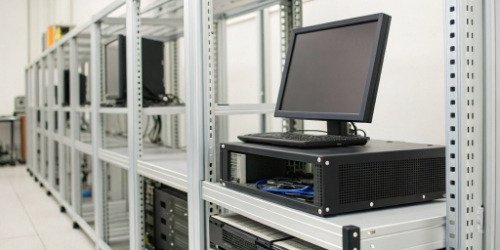
Over my 19 years in this industry, the single most effective strategy I have seen is redundancy. The companies that suffer the least from downtime are the ones who can swap a machine out in under five minutes. The goal of troubleshooting during production hours isn't to fix the broken machine; it's to get the line moving. The repair can happen later when time isn't money. This is a core part of the cost-effective weighing solutions we provide our clients.
The Principle of Triage
When a failure happens, your response should be like a hospital's emergency room: triage.
- Restore Operation: Your first and only priority is to restore production. This is where the spare IPC comes in. Disconnect the faulty unit, connect the spare, and get the line moving. This single step turns a potentially hours-long crisis into a minor inconvenience.
- Diagnose Offline: Once the line is running, you can take the faulty IPC to a workbench. Now you have time to diagnose it properly without pressure. Follow the troubleshooting table from earlier. Check power, cables, RAM, and the hard drive.
- Document and Repair: Keep a log of the failure and the solution7. This helps you spot recurring problems. Once repaired and tested, the unit becomes your new spare, ready for the next incident.
The Power of Redundancy
I cannot stress this enough: a spare IPC is your best insurance policy. Many purchasing managers focus on the upfront cost of a second unit. But when we help them calculate the cost of just one hour of lost production, the decision becomes clear. A spare, pre-configured IPC often pays for itself the very first time it is used8. As your partner, we can help you create a customized solution that includes a cost-effective redundancy plan. This is part of our vision: empowering our customers to revolutionize their operations and achieve real growth, step-by-step.
Conclusion
Proactive maintenance, a clear troubleshooting plan, and a ready-to-go spare unit are the keys to keeping your slaughterhouse operations running without costly interruptions. It’s about being prepared.
-
"The Challenges In Slaughterhouses And Their Potential Environmental ...", https://www.academia.edu/81485325/The_Challenges_In_Slaughterhouses_And_Their_Potential_Environmental_Impacts_In_The_Upper_East_Region_Of_Ghana. This source explains how environmental factors like moisture, dust, and temperature fluctuations impact the reliability of industrial electronics. Evidence role: mechanism; source type: research. Supports: The environment in a slaughterhouse—constant moisture, dust, and temperature changes—is the enemy of electronics.. Scope note: Specific to industrial environments, not general electronics. ↩
-
"IPC Traffic Analysis - Technique D3-IPCTA | MITRE D3FEND™", https://d3fend.mitre.org/technique/d3f:IPCTrafficAnalysis/. This source explains how monitoring and upgrading RAM can improve system performance. Evidence role: mechanism; source type: education. Supports: Monitor RAM usage and upgrade if consistently high.. Scope note: Does not address slaughterhouse-specific IPC performance issues. ↩
-
"Environmental Cleaning Procedures | HAIs - CDC", https://www.cdc.gov/healthcare-associated-infections/hcp/cleaning-global/procedures.html. This source outlines the benefits of cleaning electronic components with compressed air to prevent overheating. Evidence role: mechanism; source type: education. Supports: Turn off the IPC, disconnect power, and clean all vents and internal fans with compressed air.. Scope note: General electronics focus, not slaughterhouse-specific IPCs. ↩
-
"The dirty little secrets about dust and your devices. It's worse than you ...", https://www.froresystems.com/blog/the-dirty-little-secrets-about-dust-and-your-devices-its-worse-than-you-think. This source explains how dust accumulation can insulate components and lead to overheating in electronic systems. Evidence role: mechanism; source type: education. Supports: Dust acts like an insulator. It blankets heatsinks and chokes fans, causing components like the CPU to overheat.. Scope note: General electronics focus, not specific to IPCs. ↩
-
"[PDF] Modeling Effects of Relative Humidity, Moisture, and Extreme ...", https://ece.northeastern.edu/groups/power/lehman/Publications/Pub2009/2009_9_Ciprian.pdf. This source provides evidence on how moisture exposure can lead to corrosion in electronic port contacts. Evidence role: mechanism; source type: research. Supports: Moisture can also cause corrosion on port contacts.. Scope note: May not address slaughterhouse-specific moisture levels. ↩
-
"Hard disk drive failure - Wikipedia", https://en.wikipedia.org/wiki/Hard_disk_drive_failure. This source explains the unpredictability of hard drive failures and their impact on data loss. Evidence role: mechanism; source type: education. Supports: A hard drive can fail without any warning.. Scope note: Focuses on general hard drive failures, not IPC-specific scenarios. ↩
-
"What Every IFR Pilot Needs to Know", https://www.wificfi.com/post/instrument-currency-and-the-instrument-proficiency-check-ipc-what-every-ifr-pilot-needs-to-know. This source highlights the importance of maintaining logs for diagnosing recurring issues in industrial systems. Evidence role: expert_consensus; source type: education. Supports: Keep a log of the failure and the solution.. Scope note: May not address slaughterhouse-specific IPC logging practices. ↩
-
"Cost analysis of medical device spare parts - PMC - NIH", https://pmc.ncbi.nlm.nih.gov/articles/PMC5954400/. This source discusses the cost-effectiveness of maintaining spare industrial PCs for minimizing downtime. Evidence role: expert_consensus; source type: institution. Supports: A spare, pre-configured IPC often pays for itself the very first time it is used.. Scope note: May not provide specific cost analysis for slaughterhouses. ↩


Comments (0)