
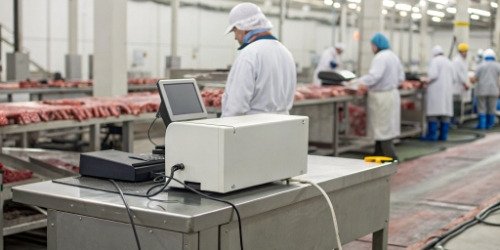
Struggling with tracking in your wet, cold cutting room? Inaccurate labels lead to compliance issues and lost profits. We have the solution to bring order to the chaos.
The best approach is to use industrial-grade thermal transfer barcode printers. These printers must handle low temperatures and high humidity. You also need durable, waterproof synthetic or PET labels to ensure traceability from the cutting line to the customer's freezer.
[image placeholder]
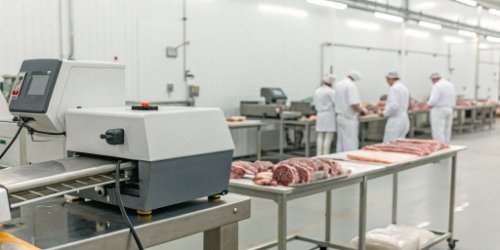
This might sound complex, but it's a problem we have solved for many clients over our 19 years in the industry. The key is to match the right hardware and software to the unique challenges of a slaughterhouse environment. It’s not just about printing a label; it’s about creating a reliable data trail that survives extreme conditions. Let's break down how this works step-by-step, so you can see how to apply it to your own operations.
How are barcode printers used in slaughterhouse cutting workshops?
Are your manual tracking methods causing bottlenecks and errors? The fast pace of a cutting line doesn't wait for handwritten tags, leading to costly mistakes and traceability gaps.
Barcode printers automate the entire process. At each station, from initial carcass weighing to final packaging, printers generate unique labels. These labels link every piece of meat to critical data like weight, cut type, date, and origin, ensuring full traceability.
[image placeholder]

In our experience, a well-integrated system transforms the workflow. It's not just about printing; it's about creating a seamless flow of information. I remember visiting a client whose team spent hours each day reconciling handwritten logs with production numbers. The process was slow and full of errors. We helped them implement a connected weighing and printing system. The change was immediate. Now, the process is clear and structured. Let me show you how it works.
From Carcass to Package
The journey of a barcode begins the moment a carcass enters the cutting room. A primary barcode is attached, linking it to its source. As it moves down the line, it's broken down into primal, sub-primal, and final cuts. At each stage, operators use our weighing scales, which are connected directly to barcode printers.
The Weighing and Labeling Process
When a cut is placed on the scale, the system captures its weight. The operator selects the cut type on a connected terminal. The printer then instantly produces a unique label with a new barcode. This label includes all necessary information. It might show the weight, cut description, packing date, expiration date, and a traceability code linking it back to the original carcass. This ensures that every single package has a complete history.
| Stage | Action | Data Captured |
|---|---|---|
| Receiving | Carcass is weighed and tagged. | Origin, weight, date, batch ID. |
| Primal Cutting | Large sections are cut and weighed. | Primal cut type, weight, link to batch ID. |
| Final Cutting | Portions are cut, weighed, and packaged. | Final product type, exact weight, pack date. |
| Boxing | Packages are boxed for shipping. | Box content, total weight, destination. |
This automated process eliminates human error in data entry and ensures every product is accounted for accurately.
What is the best solution for integrating barcode printers in meat processing operations?
Are you worried about printers failing in your cold and damp facility? Standard office equipment simply won't last, causing constant downtime and maintenance headaches that disrupt your entire production schedule.
The best solution combines an industrial-grade printer (IP65 rated or higher) with a weighing scale and your management software (ERP/MES). We recommend thermal transfer printers with durable, low-temperature synthetic labels to ensure readability even after months in a freezer.
[image placeholder]
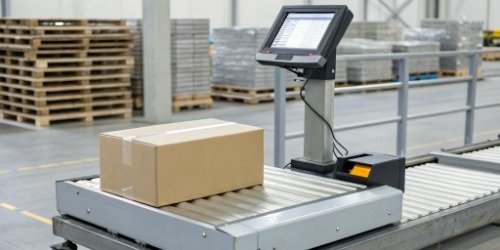
Choosing the right components is everything. You need a system where each part is designed for the environment. Think of it like building a house in a harsh climate; you wouldn't use standard windows. The same logic applies here. For over 19 years, we have specialized in creating systems that withstand these exact conditions. We guide our clients to select printers, labels, and software that work together without fail. Let's look at the specific components that make up the ideal solution.
The Right Hardware
You need hardware built for this job. We always recommend industrial barcode printers. These devices often have stainless steel enclosures and are sealed to protect against water and condensation. An IP rating of IP65 or higher1 is a good standard to look for. This means the device is protected from water jets. Also, look for printers with internal heating elements that allow them to function correctly in cold storage areas where temperatures drop below freezing.
The Right Labels
The label itself is just as important as the printer. Paper labels will disintegrate in a wet environment. We insist on using synthetic materials like Polypropylene (BOPP) or Polyester (PET). These materials are waterproof and tear-resistant. For the ink, a wax-resin or full-resin ribbon2 is necessary. This combination ensures the printed text doesn't smudge or fade, even with condensation or friction. The adhesive must also be a special freezer-grade type that sticks to cold, damp surfaces. The goal is for the label to be perfectly readable after three months or more in a deep freeze.
How do barcode printers enhance efficiency in slaughter cutting rooms?
Is your production line slowing down because of manual labeling? Every pause to write a tag or correct a mistake costs you time and money, reducing your overall throughput and profitability.
Barcode printers dramatically increase speed and accuracy. They print labels in seconds, eliminating manual handwriting. Automated data capture also reduces human error, ensuring correct weights and information, which speeds up the entire process from cutting to shipping.
[image placeholder]
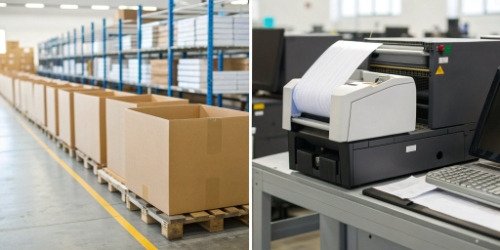
The increase in efficiency is one of the biggest benefits our clients see. A processor we work with in North America was able to increase their line speed by nearly 30% after implementing an automated weigh-print system3. Before, they had two people just for labeling and checking weights on one line. Now, the weighing and labeling happen in a single, fluid step performed by the cutter. This frees up staff to focus on more valuable tasks instead of acting as data checkers. Let's explore exactly where these gains come from.
Speeding Up the Line
A modern industrial barcode printer can print a detailed label in less than a second. Many models also have an automatic peeling function. This presents a ready-to-apply label to the operator, saving them several seconds on every single package. When you process thousands of cuts per day, these seconds add up to hours of saved labor and increased line capacity.
Eliminating Errors and Rework
Manual data entry is a major source of errors. A person might write down the wrong weight, misidentify a cut, or make a typo. These small mistakes can be very costly. They can lead to customer complaints, rejected shipments, or problems during an audit. An integrated system removes this risk. The scale sends the exact weight directly to the printer. The operator simply selects the product from a predefined list. This guarantees the information on the label is 100% accurate, eliminating the need for rework and improving overall quality control.
| Metric | Manual Process | Automated Barcode Process | Improvement |
|---|---|---|---|
| Labeling Time per Item | 15-20 seconds | 2-3 seconds | ~85% Faster |
| Data Accuracy | ~95% | >99.9% | Significantly Reduced Errors |
| Traceability Audit Time | Hours or Days | Minutes | Instant Access to Data |
| Throughput (Packages/Hour) | ~180 | ~1200 | >500% Increase |
What are the key considerations for implementing barcode printers in cutting workshops?
Thinking about an upgrade but worried about making the wrong choice? Choosing a system that isn't compatible with your software or can't handle the environment can be a costly mistake.
Key considerations are environmental resistance (IP rating), printing technology (thermal transfer), label and ribbon material, and software integration. You must ensure the entire system—printer, scale, and software—can communicate seamlessly and withstand your workshop's conditions.
[image placeholder]

As a solutions provider, we treat this process like a consultation. We don't just sell a product; we analyze the client's specific needs. For a software vendor client, the main concern is often integration. How will this hardware talk to their platform? We provide comprehensive SDKs and support to make this connection smooth. It’s about building a robust, future-proof system. Here are the things we tell our clients to think about before they make a purchase.
1. Environmental Durability
The first question is always: can it survive? Your cutting room is wet, and your cold storage is, well, cold.
- Water Resistance: Look for a printer with at least an IP65 rating. This protects it from cleaning processes. Many of our recommended models use stainless steel housing.
- Temperature Range: Check the printer's operating temperature. If it will be used in a cold room, you may need a model with an internal heater to keep the printhead and components at a stable temperature for clear printing.
2. Printer and Label Specifications
The details of the printer and labels determine the quality and reliability of your system.
- Printing Method: Thermal transfer is the only choice for this environment. It uses a ribbon to create a durable image that won't fade. Direct thermal labels will turn black or fade in changing temperatures.
- Label Material: Use synthetic labels (PET, synthetic paper) with a freezer-grade adhesive4.
- Print Speed and Volume: Choose a printer designed for your throughput. An industrial printer can run all day, printing thousands of labels without issues.
3. Software and Connectivity
For a technical director, this is the most critical part.
- Integration: How will the printer connect to your existing network and software (ERP, MES, WMS)? We ensure our systems offer straightforward integration with standard protocols.
- Data Management: The system should make it easy to manage label formats and data sources. Centralized control means you can update label information across all printers from one computer.
Conclusion
In summary, integrating industrial barcode printers is essential for any modern slaughterhouse. It boosts efficiency, ensures accuracy, and provides the robust traceability that today's market demands.
-
"IP code - Wikipedia", https://en.wikipedia.org/wiki/IP_code. An IP65 rating ensures protection against water jets and dust, making devices suitable for wet and industrial environments. Evidence role: definition; source type: education. Supports: An IP rating of IP65 or higher is necessary for printers to withstand the wet and cold conditions of cutting rooms.. ↩
-
"Wax/Resin Ribbons - Affordability with Premium Print Quality ... - YouTube", https://www.youtube.com/watch?v=rb_W79k5I0A. Wax-resin and full-resin ribbons are known for their ability to produce smudge-resistant and durable prints, especially in challenging environments. Evidence role: mechanism; source type: research. Supports: Wax-resin or full-resin ribbons ensure printed text doesn't smudge or fade in wet and cold conditions.. ↩
-
"Barcode label software case studies", https://www.teklynx.com/en/support/learn/media-library/case-studies. Automated weigh-print systems are proven to increase efficiency and reduce errors in industrial production lines. Evidence role: case_reference; source type: research. Supports: An automated weigh-print system can increase line speed by nearly 30% and reduce errors in labeling and weighing processes.. Scope note: The evidence may not directly apply to all slaughterhouse environments. ↩
-
"What Is the Right Adhesive Label for Cold Storage Products?", https://www.instocklabels.com/blog/what-is-the-right-adhesive-label-for-cold-storage-products/?srsltid=AfmBOoq-iJtbxITDb5I5D_rVZ7kd91NLXj19L7cVcdmvk-SUcqSAOF3L. Freezer-grade adhesives are designed to maintain strong adhesion on cold and damp surfaces, ensuring label durability in freezing conditions. Evidence role: mechanism; source type: research. Supports: Freezer-grade adhesive ensures labels stick to cold, damp surfaces and remain readable after months in a deep freeze.. ↩


Comments (0)